

Orders
In Sendcloud, an order represents the commercial side of a purchase — it captures what was sold, to whom, and where it needs to be delivered. An order’s structure typically includes:- Unique order ID and timestamps
- Customer details and contact information
- Billing and shipping addresses
- Line items (products, quantities, and prices)
- Payment details and totals
- Source metadata (e.g. webshop, marketplace, ERP, or custom backend)
Shipments
A shipment represents the operational step where an order is prepared for fulfillment — defining how the items will be shipped. When creating a shipment, you determine:- The carrier and service level to use
- How many physical parcels are included
- Which shipping rules or defaults apply
- Branding, contracts, and delivery preferences
- Weight and dimensions
- Contents and insurance values
- Label notes or carrier-specific instructions
Labels
After a shipment has been successfully announced to the carrier, shipping labels are generated for its parcels. A label is the physical document that must be affixed to each parcel before it’s handed over to the carrier. It contains essential routing and tracking data used by the carrier network.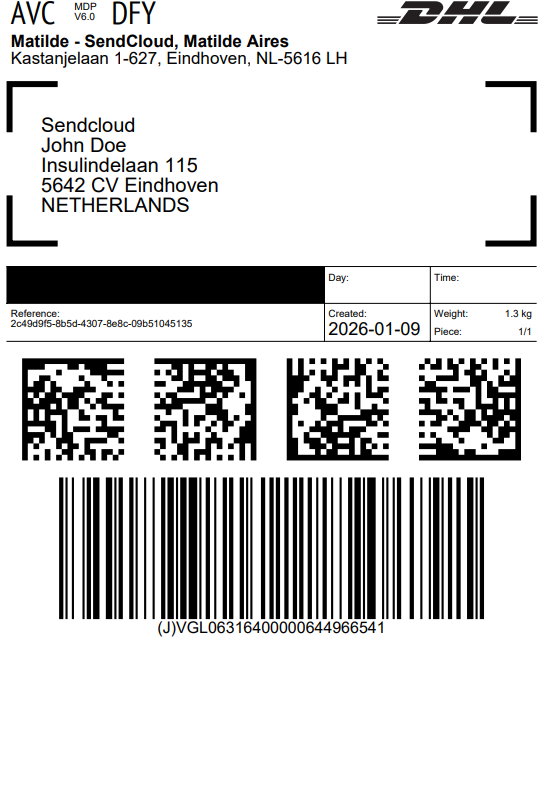
Event subscriptions
Event subscriptions allow you to receive real-time notifications when parcel events occur, such as status changes or delivery milestones. The model has two parts:- Connections define where events are delivered — for example, a webhook URL or a Klaviyo integration.
- Subscriptions define which events to listen for and link them to a connection.
The Event Subscriptions API is currently in BETA.
How the concepts fit together
- Orders capture the commercial intent — what was sold, to whom, and where it should go.
- Shipments define the fulfillment plan — how the goods are shipped, which carrier is used, and how many packages are involved.
- Labels are the carrier-authorized documents required to dispatch the physical packages.
- Event subscriptions let you react to parcel events in real time by pushing notifications to your systems.
- Direct shipment creation: If your system already handles orders, you can create shipments directly in Sendcloud. Labels can then be generated to complete the process.
- Order-driven flow: Sync commercial order data first, then convert orders into shipments when you’re ready to fulfill.
- Event-driven automation: Subscribe to parcel events to trigger downstream workflows — such as updating order statuses, notifying customers, or syncing with third-party platforms.